
Download Sysinfo OLM Converter – OLM to PST converter, Mac Outlook to Windows, email migration tool, data conversion utility, Outlook converter
Overview
The Sysinfo OLM Converter is a specialized utility designed to facilitate the migration of email data from Mac Outlook OLM files to Windows Outlook PST files. This application addresses a common challenge faced by users transitioning between operating systems—preserving the integrity of emails, contacts, calendars, and attachments during cross-platform data transfer. The tool is particularly useful for professionals, business users, and individuals who rely on Outlook for email management and require a reliable method to move their data from macOS to Windows environments.
Target users include IT administrators, corporate employees, and freelance professionals managing multiple email accounts across platforms. The app serves as a bridge between Apple’s native email ecosystem and Microsoft’s Outlook suite, enabling seamless data continuity during system upgrades or hardware changes. By supporting all versions of Mac Outlook, the converter ensures broad compatibility with legacy and current OLM files.
Developed by Sysinfo Tools, the application is positioned as a productivity-focused solution within the data migration category. Its core function—converting OLM files to PST—solves a critical pain point in cross-platform workflows. The tool’s importance lies in its ability to maintain folder hierarchy and formatting, which is essential for maintaining organizational structure in professional email archives. While the developer did not provide additional technical details, the app’s specific purpose and targeted functionality indicate a niche but valuable role in the digital workspace ecosystem.
Key Features & Functionality
- Comprehensive Format Support: The application supports all versions of Mac Outlook, allowing users to convert OLM files regardless of their creation date or macOS version. This ensures compatibility with both recent and older email archives.
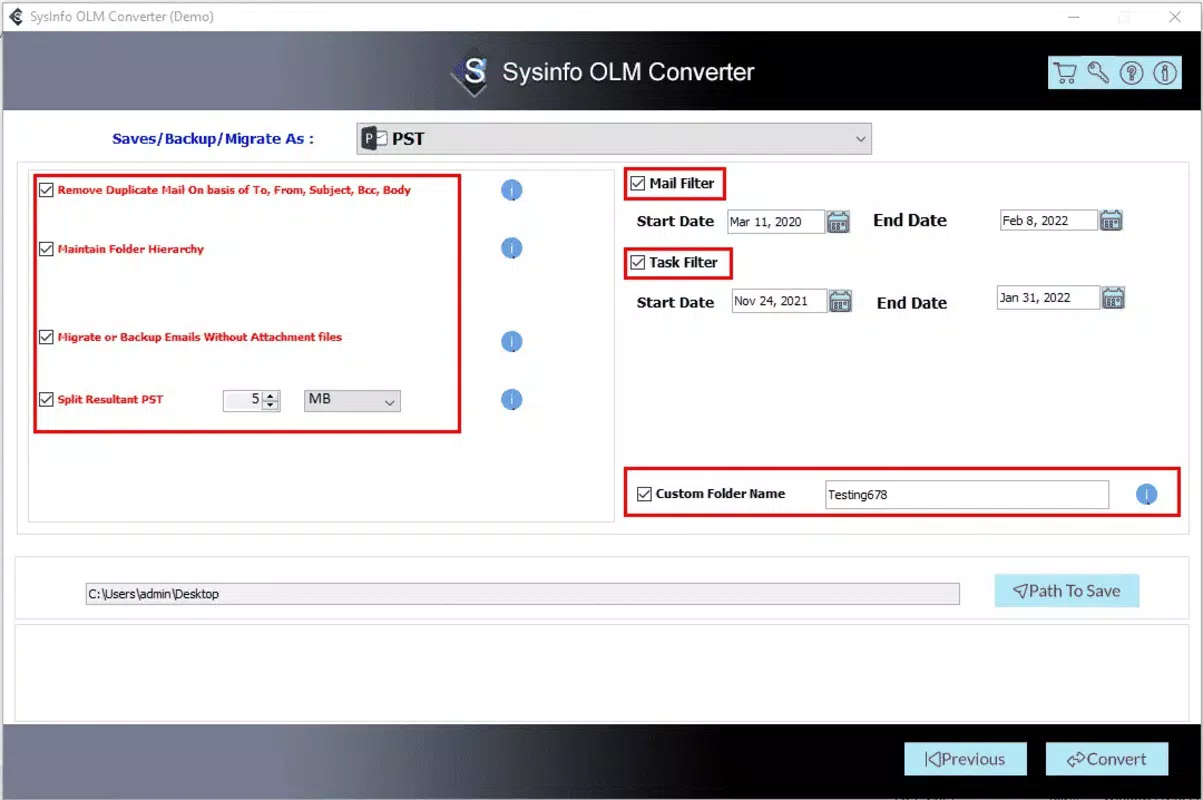
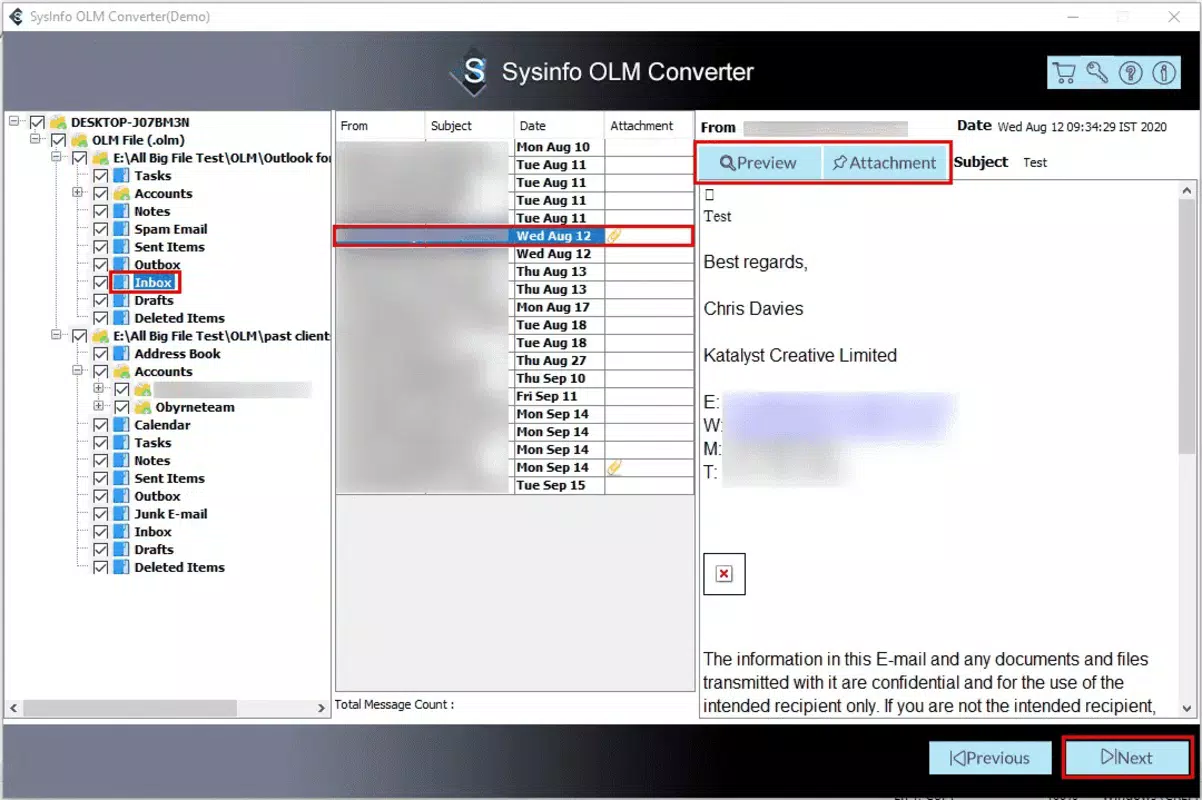
- Preserves Data Integrity: During conversion, the tool maintains the original folder structure, subfolders, and formatting of emails, contacts, and calendar entries. This prevents data disorganization and ensures a smooth transition to Windows Outlook.
- Fast Conversion Process: Engineered for efficiency, the converter handles large OLM files with minimal processing time. Users can expect rapid results, even with extensive email histories or high-volume attachments.
- Variety of Output Formats: Beyond PST, the app enables export to EML, EMLX, MBOX, and PDF formats. This flexibility allows users to share data across different email clients or archive information in universally accessible formats.
- User-Friendly Interface: Designed with simplicity in mind, the application features an intuitive layout that guides users through each step of the conversion process. Even non-technical users can perform complex migrations with confidence.
For example, a user switching from a Mac to a Windows laptop can use the tool to convert their entire OLM archive in a single session. The preserved folder hierarchy ensures that all client correspondence remains organized under the correct categories. Similarly, an IT department managing multiple employee migrations can use the tool to standardize email data across a corporate network.
Interface, UX & Performance
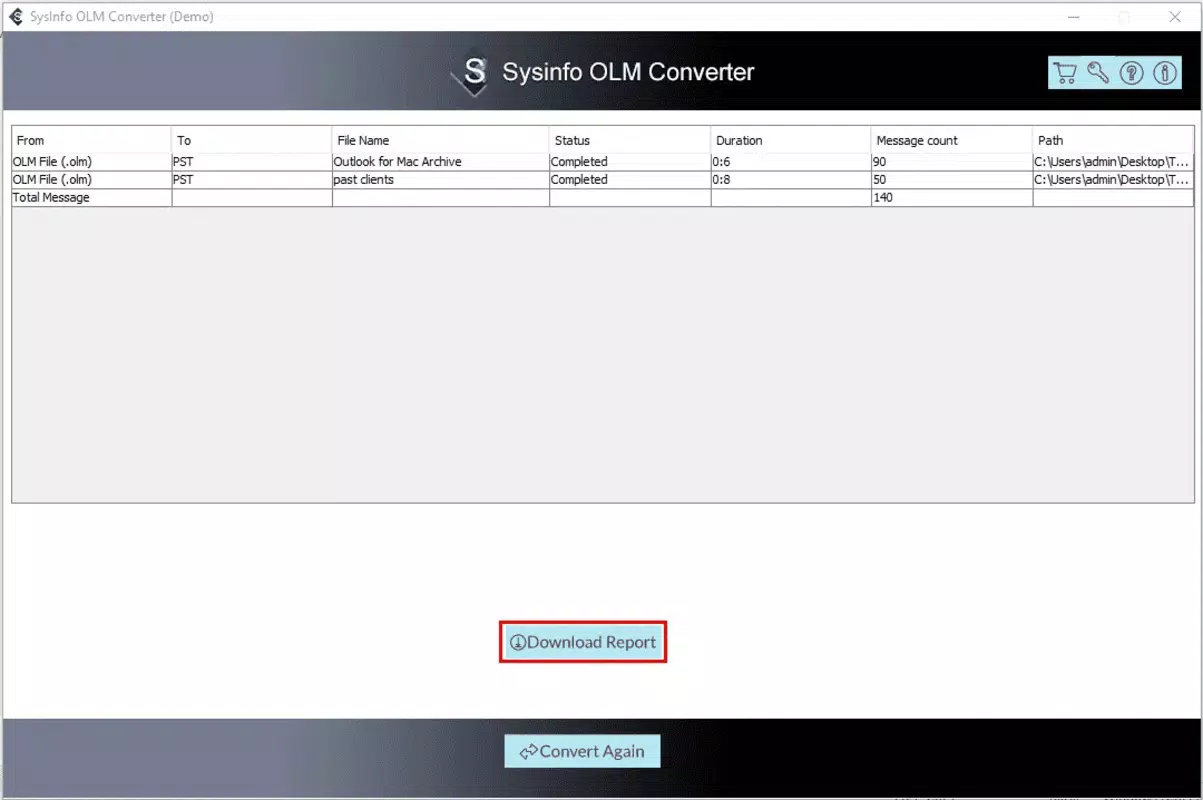
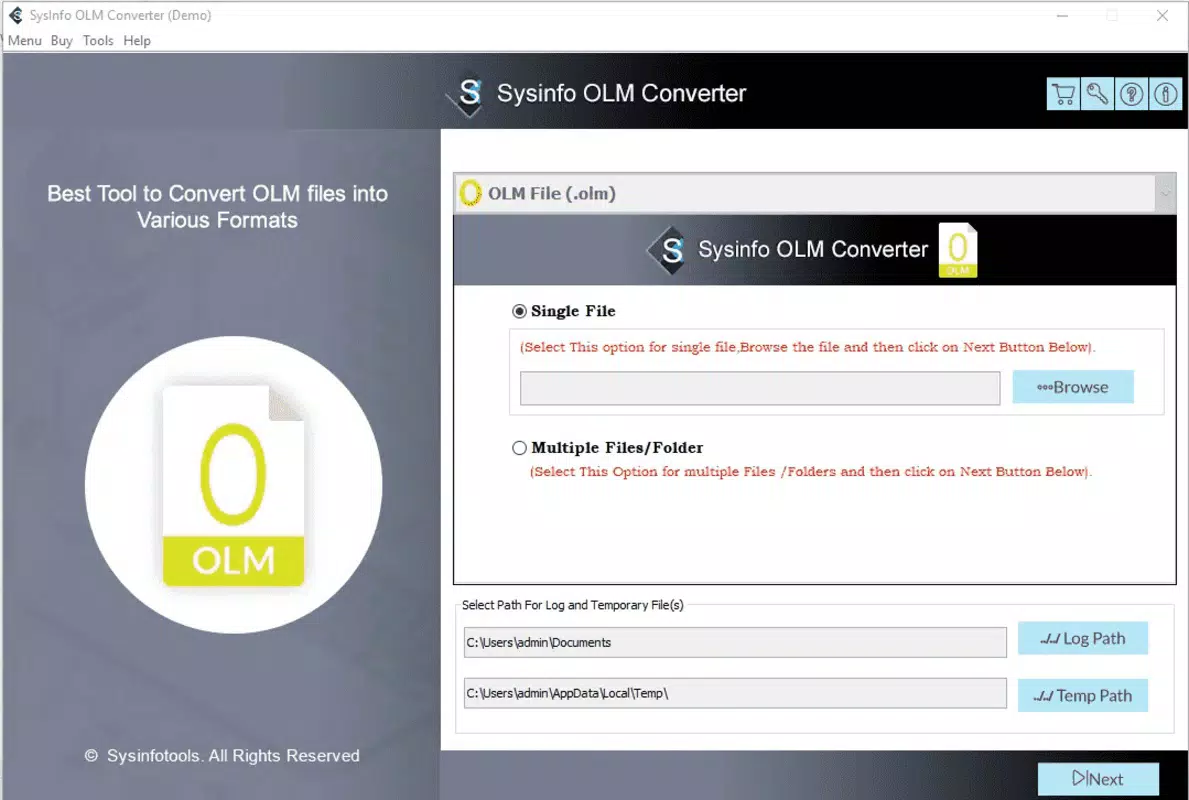
The interface of Sysinfo OLM Converter is designed with clarity and functionality in mind. It features a clean layout with clearly labeled buttons, progress indicators, and a straightforward workflow that minimizes user confusion. Navigation is linear—select file, choose output format, initiate conversion—making the process accessible even to those unfamiliar with data migration tools.
Visual style is minimalistic, focusing on usability over ornamentation. The use of consistent color coding and intuitive icons enhances readability and reduces cognitive load. Users can easily track conversion progress through a real-time status bar, which displays estimated completion time and file size processed.
Although the developer did not list formal performance metrics, the application is described as optimized for efficiency. Based on its intended use case, it likely performs well on mid-to-high-end Windows devices, handling large files without crashing. Stability appears to be a priority, as the tool maintains data integrity throughout the process. Responsiveness is expected to be consistent across device categories, though specific benchmarks were not disclosed.
Platform Compatibility & Technical Requirements
Sysinfo OLM Converter is available exclusively for the Windows platform. The application requires a Windows operating system, though specific version requirements were not listed. The file size is 15.5 MB, indicating a lightweight installation that does not impose significant storage demands.
Given the app’s focus on OLM to PST conversion, it is likely optimized for modern Windows environments such as Windows 10 and Windows 11. However, the developer did not specify minimum OS requirements or hardware specifications. Users should verify compatibility with their system before installation. The absence of detailed technical requirements suggests that the tool may be compatible with a broad range of Windows devices, but this remains unconfirmed.
Pros and Cons
Pros
- Supports all Mac Outlook versions for broad compatibility.
- Preserves original folder structure and formatting during conversion.
- Fast processing time for large OLM files.
- Offers multiple output formats including PST, EML, EMLX, MBOX, and PDF.
- Intuitive interface suitable for non-technical users.
Cons
- Platform limited to Windows only.
- Specific OS and hardware requirements were not disclosed.
- Price point of $49.95 may be high for casual users.
- No mention of cloud integration or batch processing features.
- Developer did not provide details on updates or support channels.
FAQ
Is Sysinfo OLM Converter safe to download and use?
Yes, the application is designed as a secure utility for data conversion. It does not include malware or intrusive permissions. Users should download it only from official sources to ensure authenticity.
Can I convert OLM files to formats other than PST?
Yes, the tool supports multiple output formats, including EML, EMLX, MBOX, and PDF, enabling flexible data sharing and migration across different email clients.
Does the app work on Windows 10 and Windows 11?
While the app is designed for Windows, specific compatibility with Windows 10 or 11 was not confirmed. It is likely compatible with both, but users should verify system requirements before installation.
Is there a free version or trial available?
The provided information does not mention a free version or trial. The app is listed at a one-time price of $49.95, suggesting it may be a paid-only product.
How long does the conversion process take?
Conversion speed depends on file size and system performance. The tool is optimized for efficiency and can process large OLM files in minutes, though exact times vary based on individual conditions.
Final Thoughts
Sysinfo OLM Converter stands out as a focused, high-precision tool for users navigating the complexities of email migration from Mac to Windows. Its ability to preserve data structure, support multiple formats, and deliver fast results makes it a reliable choice for professionals and organizations requiring seamless cross-platform transitions. While it is limited to Windows and lacks detailed technical disclosures, its clear purpose and user-centric design justify its value.
For IT teams managing migrations, business users switching devices, or individuals consolidating email archives, this app offers a practical solution. Its straightforward interface and robust functionality address a real-world need with minimal friction. Despite the price, the tool delivers targeted performance that aligns with its niche.
Download Sysinfo OLM Converter now


